QR codes are everywhere now. We find them on restaurant menus, parking meters, hotel Wi-Fi cards and conference badges, as well as payment terminals, posters and packaging. They turn up in authentication flows too. Somewhere along the way, scanning one became such a normal interaction that most of us barely think about what we are doing: point the camera, tap the banner and continue.
That is interesting from a security perspective, because a QR code is almost completely opaque to a human being. If somebody prints a URL on a poster, I can at least look at it before I type it into a browser. I might recognise the domain, notice that something is misspelled, or decide that microsoft.com looks rather more convincing than microsoft-login-secure.example.
A QR code removes that opportunity to read the destination directly from the poster. To us, it is a square full of black and white blocks; to the phone, it is data. Somewhere between those two things, we have built an enormous amount of trust.
What actually is a QR code?
A QR code is a two-dimensional barcode. Unlike a traditional one-dimensional barcode, which encodes information along a single axis, a QR code uses both the horizontal and vertical dimensions. That lets it pack considerably more data into a relatively small space.
The three large squares you normally see in the corners are called finder patterns, and they help a scanner locate the code and work out its orientation. There are also timing patterns, alignment patterns in larger versions, format information, error-correction data and the actual payload. What looks like a fairly chaotic arrangement of blocks has a very deliberate structure.
The clever part is that QR codes were designed to remain machine-readable under imperfect conditions. They can be rotated, and some dirt, damage or obscured data can be tolerated while still allowing the scanner to recover the contents. That resilience is one of the reasons they became so useful. It also makes familiar designs with a logo in the middle possible, within limits: covering the wrong parts of a code, or too much of it, can still make it unreadable.
QR codes support four error-correction levels, referred to as L, M, Q and H. For a given symbol size, increasing the error correction leaves less capacity for the payload, in exchange for greater resilience to damaged data. It is a trade-off, not a guarantee that any part of the image can be removed without consequence. DENSO WAVE’s explanation of error correction describes how that recovery works.
The largest version of the standard QR Code symbol is Version 40, at 177 by 177 modules. At the lowest error-correction level, its maximum capacity is 7,089 numeric digits, 4,296 characters in QR’s alphanumeric mode, or 2,953 bytes of binary data. Those are different encoding modes, rather than interchangeable limits for any text you might want to store. Even so, just under 3 KB is enough for considerably more than a web address. The version and capacity guide and specification summary set out those limits.
A QR code is not a URL
This is probably the most important thing to understand. We tend to associate QR codes with websites because that is how many of us encounter them, but the code is simply an encoding mechanism. It can contain a URL, plain text, contact information, Wi-Fi credentials, geographic coordinates, telephone numbers, email details, payment information, application links, authentication material or arbitrary binary data. The encoding itself does not particularly care what that data means.
The scanner decodes the contents, and the application decides what to do with the result. Depending on the phone and the application, a recognised URL may produce an option to open a browser, Wi-Fi details may produce an invitation to join a network, and contact information may produce an option to save a contact. Not every scanner supports every format, and decoding the data is not the same thing as automatically carrying out an action.
The QR code is therefore handing your phone data that software may interpret as a destination or a requested action. Which leaves us with the more interesting question: why do we trust it?
The QR code doesn’t tell you who created it
There is no inherent authenticated identity attached to an ordinary QR code. It does not cryptographically prove that it came from the restaurant whose table it is sitting on, that the parking company placed it on the meter, or that the conference organiser put it on the poster. A system can carry signed data in a QR code and verify it, but that is something the surrounding system provides, not a property of the square itself.
Instead, we often infer identity from context. It is on the restaurant table, so it must belong to the restaurant. It is stuck to the parking meter, so it must belong to the parking company. It is printed beside the hotel reception desk, so it must belong to the hotel. We are using the physical location of a piece of paper or a sticker as evidence of who put it there.
For a low-risk interaction, that can be a reasonable shortcut. Nobody needs to build a public-key infrastructure just to open a lunch menu. The weakness becomes much more important when the destination asks us to log in, enter card details, install an application, join a network or approve something. We have moved from looking at information to taking an action, without necessarily revisiting the assumption that got us there.
Imagine a parking meter
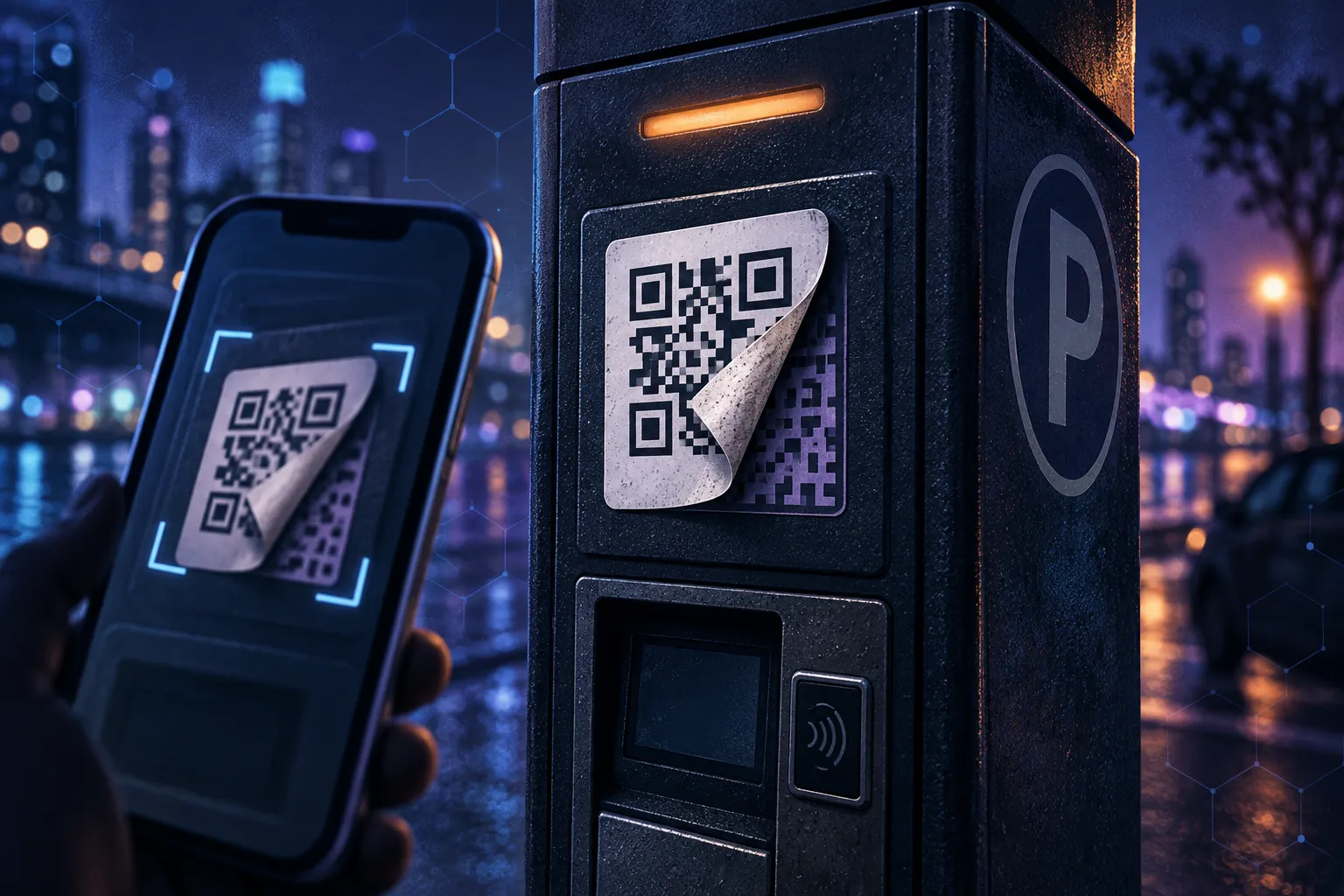
Consider an ordinary parking meter with a QR code on the front and a label saying Scan to pay for parking. The legitimate code takes you to the parking provider’s website. Now imagine somebody prints another code on a sticker and places it neatly over the original, sending people to a fake payment site instead.
The fake site uses the same colours and roughly the same layout as the provider. Perhaps the attacker has copied the original site’s HTML, or perhaps they have created something convincing enough for somebody standing beside a car, trying to pay and get on with their day. It asks for a vehicle registration, a parking duration and a credit card, all of which feel consistent with the situation.
From the person’s perspective, the parking meter told them to scan a code, they scanned it, and now the parking website is asking them to pay. Except it isn’t the parking website. This is an illustrative scenario, but the underlying tactic is real: the US Federal Trade Commission has reported scammers covering parking-meter QR codes with their own.
Nothing particularly sophisticated needs to have happened here. Nobody had to exploit the parking meter, compromise the QR specification or hack the person’s phone. The attacker changed the thing the person trusted.
The QR code worked perfectly. The trust relationship did not.
This is phishing with a physical entry point
Security people sometimes call QR-code phishing quishing, because apparently we cannot leave a perfectly good concept alone without giving it another name. Fundamentally, though, the attacker is trying to convince somebody that a destination or action is legitimate when it is not. The QR code changes the delivery mechanism, not that underlying aim.
Phishing commonly arrives through email, SMS or social media, environments that have gradually accumulated defensive controls and familiar signals. Spam filters inspect messages, email clients display sender information, security products analyse links, and users have repeatedly been told to watch for suspicious URLs. Those controls are imperfect, but there is at least some surrounding information to examine.
A physical QR code enters the interaction somewhere else. There is no email sender to inspect or message for a mail filter to assess. Instead, there is a professionally printed poster or a sticker on something that looks official, followed by a camera interaction with an image the person cannot interpret directly. Browser protections can still apply once a link is opened; the physical code does not magically bypass all of them. It does, however, make the context in which we first encounter the link unusually important.
Redirects make this even murkier
The URL encoded in the QR code does not have to be the final destination. Services offering dynamic QR codes commonly use an intermediary URL: the printed code points to a service, and that service redirects the visitor elsewhere. This allows the destination to change without reprinting the code and can also support analytics. The printed data stays the same; the server’s response changes, as Bitly’s QR-code documentation explains.
That is useful operationally, but it introduces another layer into the trust decision. What is printed in front of you may no longer identify where you will ultimately end up, even if you scanned the same code before. URL shorteners create a similar difficulty. A short address may be perfectly legitimate, but recognising the shortening service tells you very little about the destination behind it.
The convenience is easy to understand. It just does not give the person holding the phone much help in deciding whether the eventual destination belongs to the organisation they think they are dealing with.
Your camera app is now part of the security model
Modern phones can help by showing a link or destination preview before opening it, although exactly what appears depends on the scanner. Apple’s instructions for scanning with an iPhone or iPad, for example, describe tapping the detected link to open the content. When the scanner presents a destination, that pause is an opportunity to look at it rather than treating the next tap as inevitable.
Browsers also provide layers of protection, from certificate validation and address bars to phishing warnings and suspicious-download checks. Those controls do different jobs: an encrypted HTTPS connection does not, by itself, establish that a website belongs to the parking company or restaurant you intended to visit. A convincing fraudulent site can have a valid certificate too, a distinction the Chrome team has emphasised when explaining its security indicators.
We are beginning that browsing process by pointing a camera at an opaque square stuck to a wall. That does not make QR codes bad, but it does make the transition from scanning to following the link worth noticing. Most of us have become very good at moving through it almost automatically.
Not all QR-code authentication works this way
There is an important distinction when QR codes appear in security products. Authenticator applications use them to provision TOTP secrets, messaging applications use them to pair desktop clients with phones, and device-enrolment systems use them to transfer setup information. Passkeys can also use QR codes during cross-device authentication.
In these cases, the QR code transports information required by a larger protocol. That protocol might establish cryptographic keys, verify possession of a device, create an encrypted channel or require an independent authentication step. For example, the FIDO cross-device passkey flow uses Bluetooth Low Energy to check physical proximity as part of the surrounding authentication process. Its security does not rest on the appearance of the QR code.
These examples do not all provide the same guarantees. A TOTP setup code contains sensitive provisioning information, including the shared secret described in Google Authenticator’s key URI format. Putting that information in a QR code does not authenticate its source or make TOTP phishing-resistant. Pairing and enrolment flows also depend on what the user is being asked to authorise and how the protocol validates the interaction.
A well-designed protocol can therefore provide a much stronger model than assuming that whatever website a QR code opens must be trustworthy. The distinction is where those guarantees come from. The code is still just data; the security properties come from what happens around it.
So should we stop scanning QR codes?
No. That would be an unnecessarily dramatic conclusion for a technology that solves a real usability problem. QR codes are compact, cheap to produce, easy for cameras to recognise and surprisingly resilient. They make it convenient to transfer relatively small amounts of structured information from the physical world into a computer.
The more useful question is not Can I trust QR codes? but What am I trusting this QR code to do? Opening a restaurant menu is a different proposition from entering banking credentials. Connecting to guest Wi-Fi is different from installing an application, and reading about an exhibit is different from making a payment. None of those distinctions makes an interaction automatically safe, but the action changes what is at stake.
The physical context matters too. A code printed inside a sealed product manual has a different exposure to casual replacement than a sticker on a public parking meter. That context is useful evidence; it simply should not be asked to prove more than it can.
A better way to think about them
Before doing something sensitive after scanning a QR code, a few questions are useful:
- Who appears to have placed this here?
- Could somebody else easily have replaced it?
- Where is the link actually taking me?
- Does the destination make sense for the organisation involved?
- Am I about to enter credentials, payment information or other sensitive data?
- Could I reach the same service through the organisation’s normal application or website instead?
None of those questions is particularly complicated. The challenge is remembering to ask them when the interaction has become almost invisible, especially when the next screen looks like exactly what we expected to see.
That may be the most interesting thing about QR-code security. The technology is not especially mysterious: it stores data, lets another device recover it quickly and can tolerate a useful amount of damage along the way. In the parking-meter example, it is doing exactly what it was designed to do. The weakness is something much more familiar. We see a square on an object we recognise and assume that somebody we trust put it there.
We are not really trusting the QR code. We are trusting the story around it.